
Notice: Function _load_textdomain_just_in_time was called incorrectly. Translation loading for the woocommerce-gateway-paypal-express-checkout domain was triggered too early. This is usually an indicator for some code in the plugin or theme running too early. Translations should be loaded at the init action or later. Please see Debugging in WordPress for more information. (This message was added in version 6.7.0.) in /var/www/vhosts/gestaltfund.com/httpdocs/wp-includes/functions.php on line 6131

Notice: Function _load_textdomain_just_in_time was called incorrectly. Translation loading for the pet-care domain was triggered too early. This is usually an indicator for some code in the plugin or theme running too early. Translations should be loaded at the init action or later. Please see Debugging in WordPress for more information. (This message was added in version 6.7.0.) in /var/www/vhosts/gestaltfund.com/httpdocs/wp-includes/functions.php on line 6131
Button Settings - Gestalt
0
Shopping Cart
0 items - 0

Button Settings


Warning: Trying to access array offset on value of type null in /var/www/vhosts/gestaltfund.com/httpdocs/wp-content/themes/pet-care/framework/include/kode_front_func/elements/kode_page_elements.php on line 260

Theme Button Settings

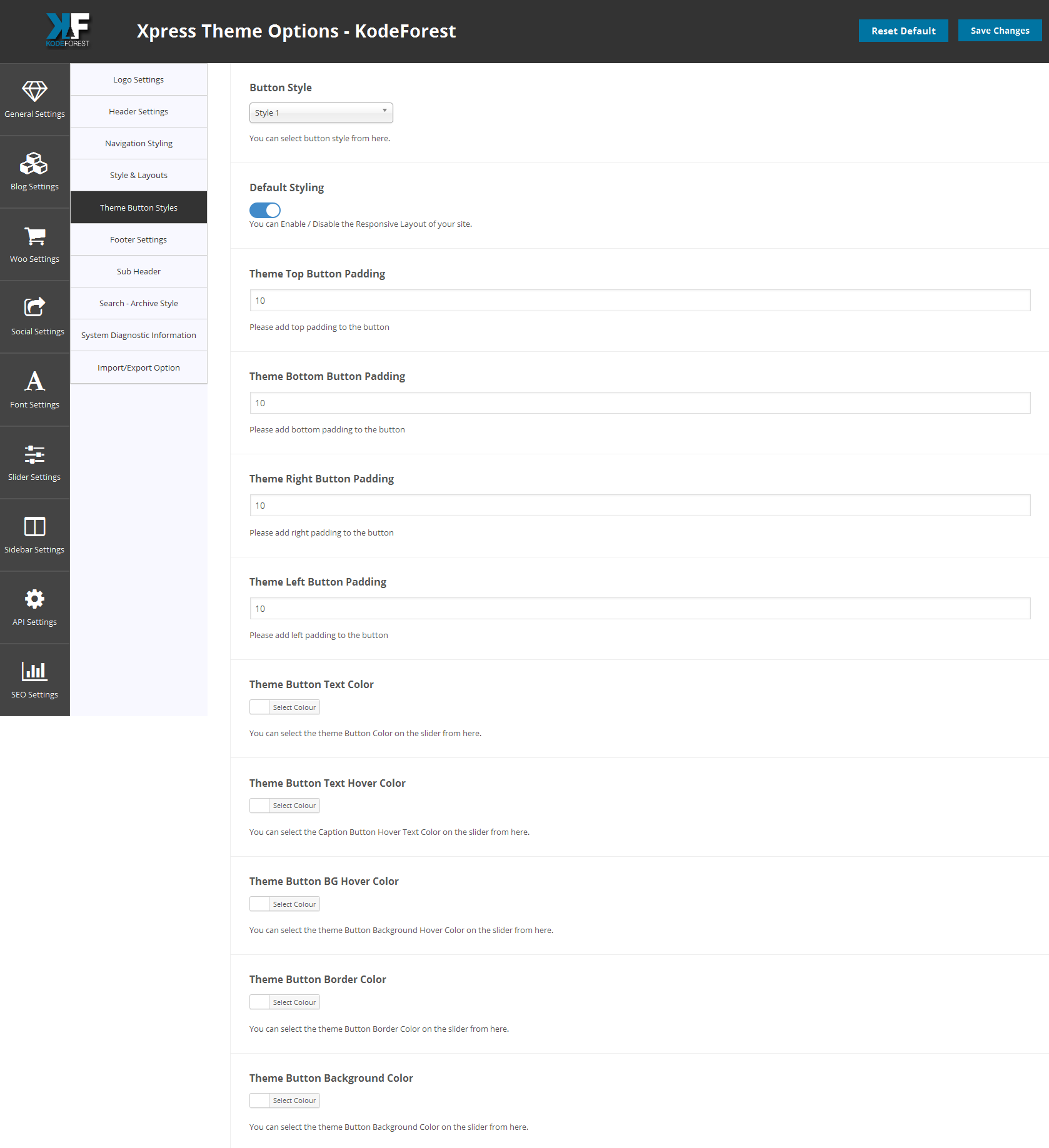
There are 4 different button styles available in the theme which you can get from the short codes and some are available in the page builder. If you want to set the default theme button styling then you can set them from the default theme options settings that will help you set the styling of the buttons within few seconds. All the control of the style is given in your hands now. You can select the button style from the drop down menu. Button Style 1 Button Style 2 Button Style 3 Button Style 4

  • If you donot want this default styling then switch off the button from here.
  • Note : If you switch on the button then default styling will appear which you will set it from here.
  • You can set the theme button top padding from here.
  • You can set the theme button bottom padding from here.
  • You can set the theme button left padding from here.
  • You can set the theme button right padding from here.
  • You have the option to select the theme button text color from here by using color picker.
  • Then you can also select the button hover color from here.
  • You can also select the button BG hover color.
  • You can also select the button border color.
  • You can also select the button bacgkround color you wish to have.
  • Please note : Just enter the padding / margin in numbers e.g 20. Donot write px with it.
Warning: Trying to access array offset on value of type null in /var/www/vhosts/gestaltfund.com/httpdocs/wp-content/themes/pet-care/framework/include/kode_front_func/elements/kode_page_elements.php on line 260

button

Newsletter

Get our latest updates